The Chameleon Ultra NFC App for iPhone: What PocketNFC Supports
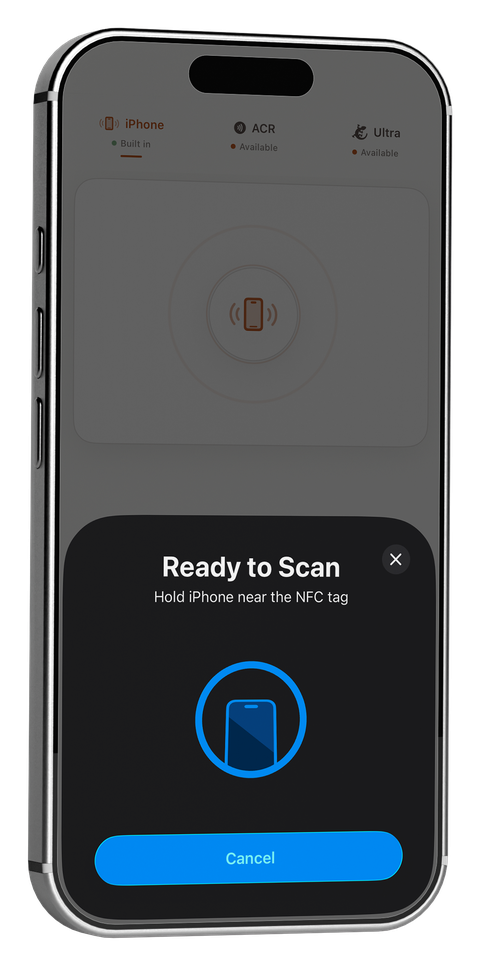
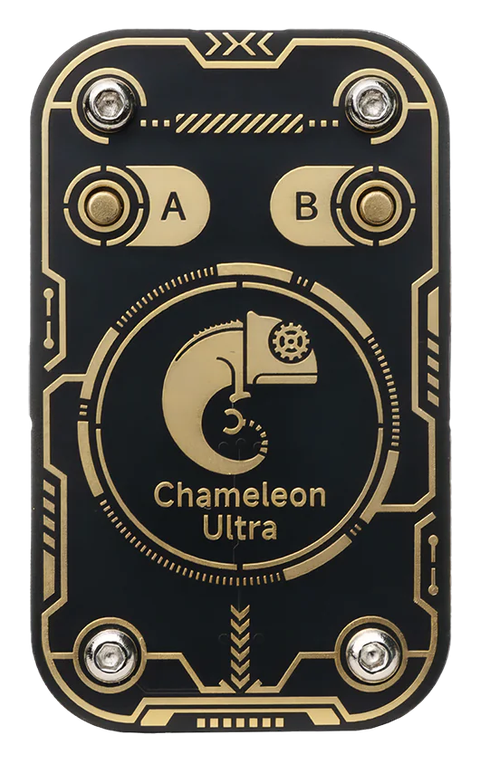
Chameleon Ultra, the RFID Research Group's card-emulation hardware, connects to iPhone over Bluetooth rather than Apple's CoreNFC framework — which means iOS support for it doesn't depend on Apple's NFC restrictions at all. A few iOS apps support Chameleon Ultra today, mostly general GUI tools for managing slots and firmware. PocketNFC is a Chameleon Ultra NFC app for iPhone that goes further: it's the same app you already use for iPhone's built-in NFC and ACR1555U/ACR1255U work, with Chameleon Ultra's full security-research feature set built in.
Does Chameleon Ultra work with iPhone?
Yes. Chameleon Ultra is a standalone Bluetooth device — it doesn't need iPhone's NFC antenna or Apple's CoreNFC API to function, because it isn't being read by the iPhone in the traditional sense. Instead, your iPhone sends it commands over Bluetooth Low Energy, and the Chameleon Ultra does the actual RF work: emulating a card, sniffing a reader, or recovering keys. That's precisely why it can do things CoreNFC-based apps can't — it was never subject to CoreNFC's restrictions in the first place.
iOS apps for Chameleon Ultra
To be accurate about the landscape: Chameleon Ultra isn't exclusive to PocketNFC. General-purpose GUI apps exist on the App Store for basic slot management and DFU firmware updates. If all you need is to flash firmware or switch slots, those cover it.
PocketNFC's angle is different: it treats Chameleon Ultra as one of three connected surfaces (alongside iPhone's built-in NFC and ACR1555U/ACR1255U readers) in a single app, with the deeper toolset professionals and researchers actually use day to day.
What PocketNFC's Chameleon Ultra support covers
- 8-slot card emulation with a live sector-by-sector key-check grid, so you can see exactly which sectors are keyed as you work
- Key recovery attacks — nested, static-nested, darkside, and hardnested, covering the range of MIFARE Classic key-recovery scenarios you'll actually run into
- Magic Card Gen1A/Gen2 read, write, and clone
- HF/LF sniffing and MFKey32 detection — capturing keys used in a live authentication exchange between a real card and reader
- 125 kHz low-frequency credentials — EM410x, HID, and ioProx, alongside HF work on the same device
- Value block increment/decrement and ISO14443-4 APDU emulation for more advanced card behaviors
Chameleon Ultra vs. an ACR1555U/ACR1255U reader
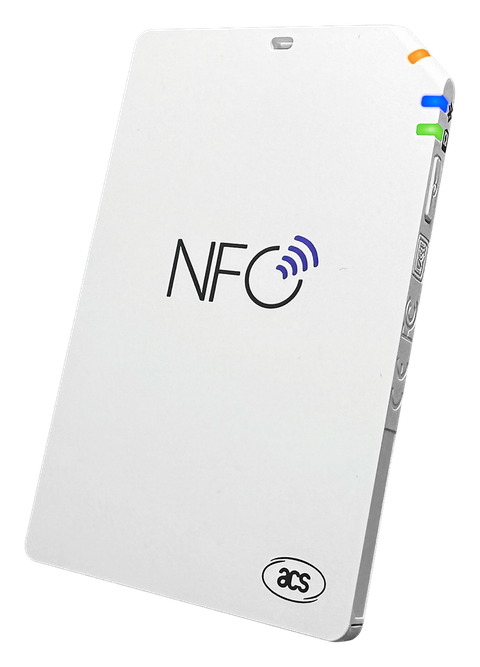
These solve different problems. An ACR reader is for reading — full MIFARE Classic sector access and DESFire inspection from a card you have in hand. Chameleon Ultra adds emulation — presenting itself as a card to another reader — plus key-recovery attacks and LF credential work an ACR reader doesn't do. Many workflows use both. See iPhone's NFC Limits — and How External Readers Fix Them for the full breakdown of when you need which.
PocketNFC pairs with Chameleon Ultra over Bluetooth — 8-slot emulation, full key-recovery attacks, Magic Card support, and LF credentials, in the same app as your everyday iPhone NFC and ACR reader work.
Frequently asked
Is there a Chameleon Ultra app for iPhone?
Yes. General slot/firmware GUI apps exist on iOS, and PocketNFC pairs with it over Bluetooth too, adding 8-slot emulation, full MIFARE Classic key recovery, Magic Card cloning, HF/LF sniffing, MFKey32 detection, and 125 kHz credential support.
Does Chameleon Ultra need CoreNFC or iPhone's built-in NFC?
No. It connects over Bluetooth as its own peripheral, which is exactly what lets it do card emulation and key recovery that CoreNFC-only apps can't.
Is Chameleon Ultra compatible with iOS?
Yes — via Bluetooth. Multiple iOS apps support it, from general slot-management GUIs to PocketNFC's deeper key-recovery and emulation toolset.